
Hear the body text, formulas and all
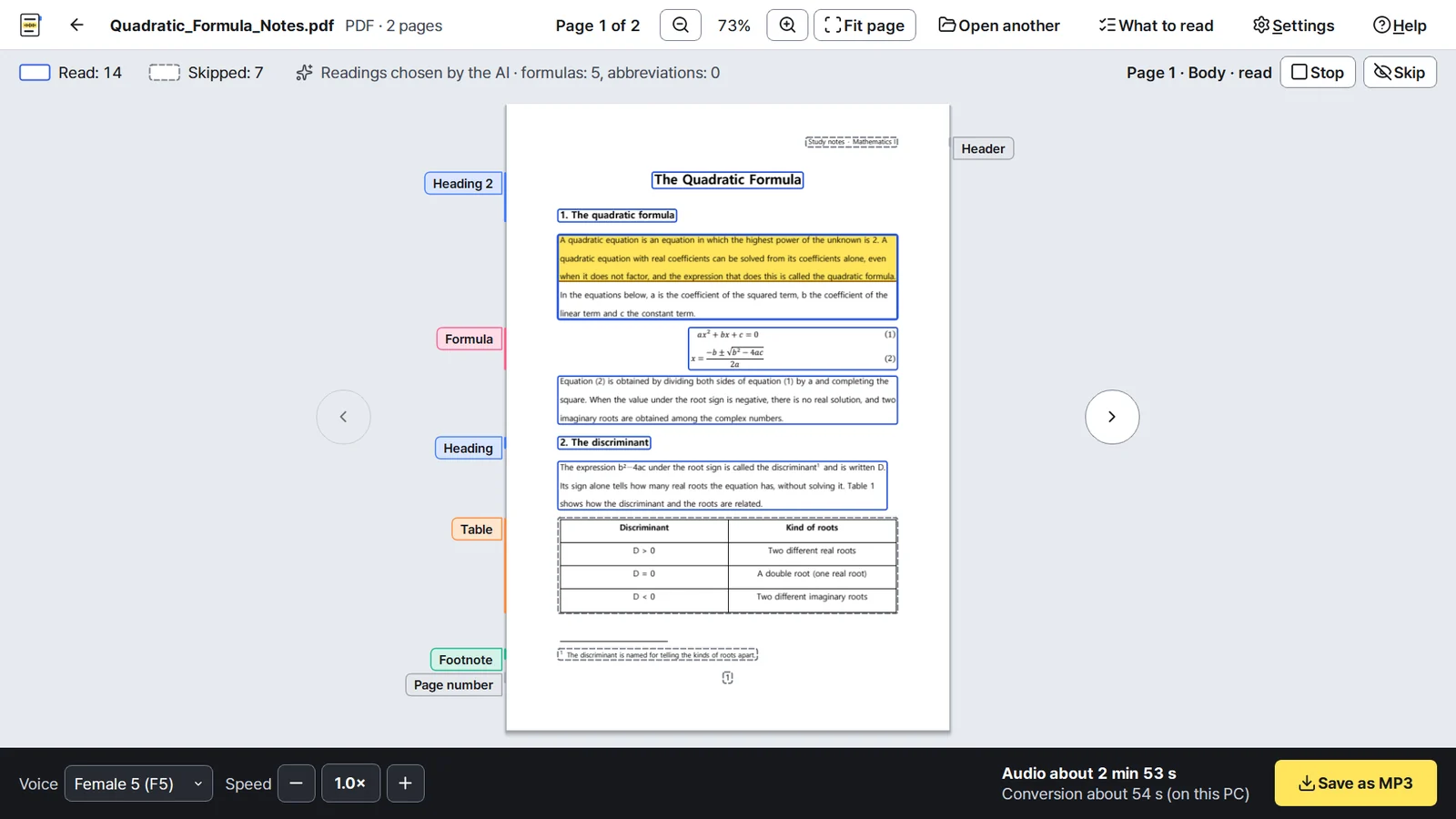
Add a PDF, HWP or HWPX document and DocVoice marks on the page what it will read, skips what gets in the way of listening, such as tables, page numbers and footnotes, and saves the reading as an MP3. Formulas are read so that you can follow them with your eyes closed. Everything happens on your PC.
Coming to the Microsoft Store · price announced at release · Windows 10 and 11
 Header
Heading0:01
Heading0:02
Body0:23
Formula0:19
Body0:14
Heading0:02
Body0:15
Table
Header
Heading0:01
Heading0:02
Body0:23
Formula0:19
Body0:14
Heading0:02
Body0:15
Table
What it reads and what it skips
Read
- Body text · paragraphs joined, as one sentence across a column break
- Headings · with a pause, as headings
- Formulas · so that you can follow them with your eyes closed
- Text boxes · like body text
Skipped
- Tables · text broken into cells is hard to follow by ear
- Page numbers, headers, footers · repeated on every page
- Footnotes, captions · they interrupt the body text
- References, contents · lists
Choose for each kind on the first screen whether it is read, and change single parts on the page once the document is open.
Formulas you can picture
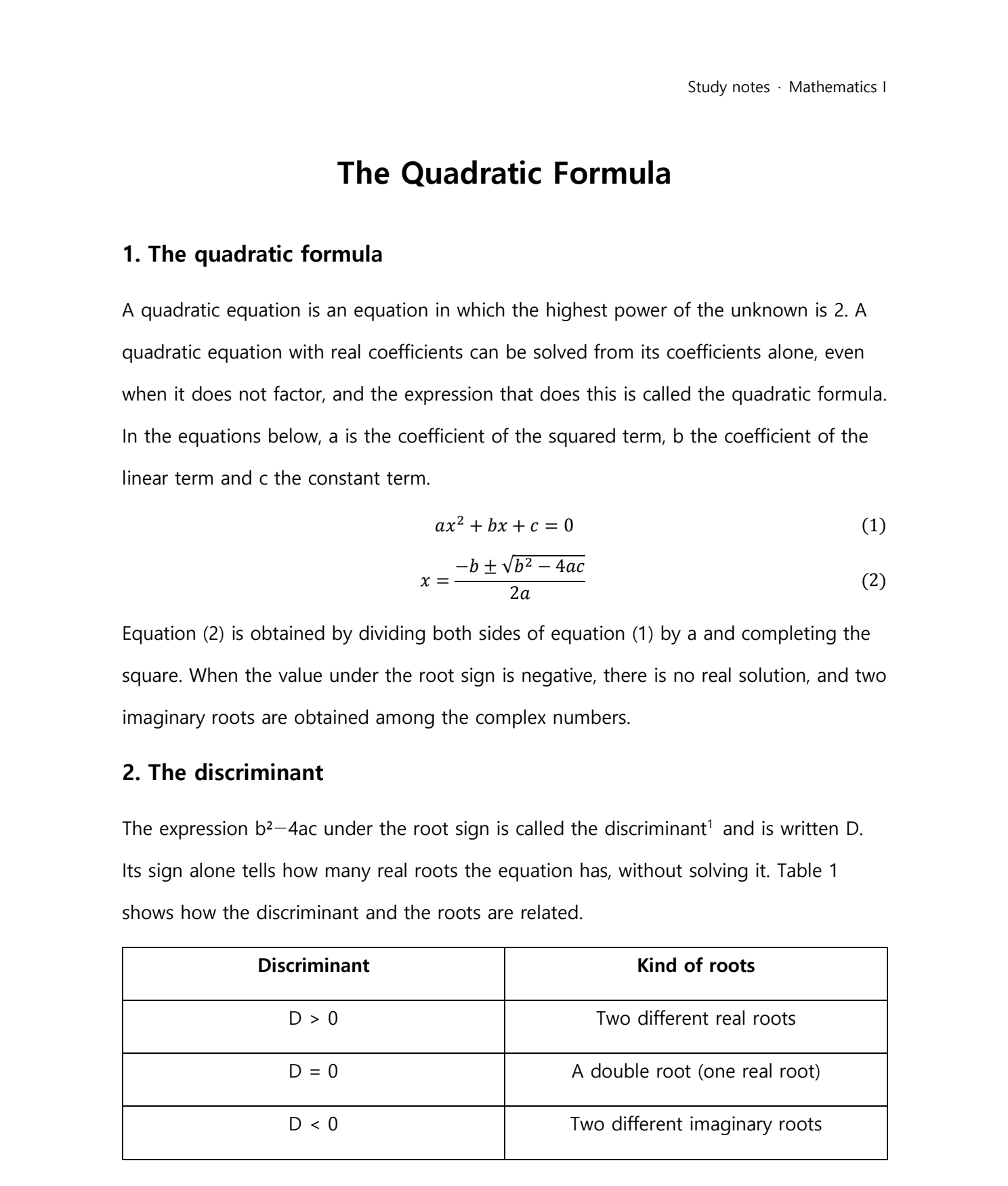
Formulas on the page are recognized by an AI formula recognition model and by rules set in advance, then read aloud. The program is designed so that you can follow them with your eyes closed. Below is how the program reads the formulas of the sample page above.

Equation 1. a x squared plus b x plus c, equals zero. Equation 2. x equals a fraction. The numerator is minus b, plus or minus the square root of b squared minus 4 a c. The denominator is 2 a.
Everything is done on your own PC
Speech synthesis, character recognition, formula recognition and the language model all run on this PC. Documents are not sent over the internet, and the program needs no sign-up. A copy from the Microsoft Store only checks with the Microsoft Store component of Windows whether it was bought.
The program
Program specifications
- System
- Windows 10, Windows 11 (64-bit)
- Disk space
- about 4 GB
- Memory
- 8 GB recommended
- Documents
- PDF, HWP, HWPX (scanned PDFs whose text cannot be extracted are read with character recognition, OCR)
- Voices
- 10 AI-synthesized voices (5 female, 5 male)
- Speed
- 0.8× to 5×, pitch unchanged
- Screen
- Korean or English · text size from 11 pt to 28 pt (16 pt at first)
Questions
Does it need an internet connection?
Not to read documents and make MP3 files. A copy from the Microsoft Store uses the Microsoft Store component of Windows only to check whether it was bought.
Does it read scanned PDFs?
Pages whose text cannot be extracted are read with character recognition (OCR), which can make mistakes.
Does it always read formulas right?
Not always. Click the part on the page to hear it, and take it out of the reading if needed. Formulas whose characters are garbled are not read.
Can I control the screen with the keyboard?
Use ↑ and ↓ to choose the part to read, Space to play it, Delete to leave it out of the audio you save, and Ctrl+S to save the audio.
May I give the MP3 to others?
Please tell them it is an AI-synthesized voice; the MP3 file information says so too. The license of the voice model (OpenRAIL-M) forbids using it to impersonate or deceive others.
Who made it, and contact
I designed the program to read documents as much like a person reading aloud as possible. It shows on the page, in real time, what it is reading, and explains complex parts such as formulas so that they are easy to follow by ear. Tell me what to improve and it will go into the next update. Thank you.
Geon Byeon · MarchToMay
Questions, bug reports, reports about readings made by the AI and requests for the source code of the open-source (LGPL) components included in the program: [email protected]
Seller MarchToMay (representative: Geon Byeon)